
 Manage Positive Pay
Creating a Positive Pay File
If you subscribe to the Positive Pay module, Assure will create positive pay files to transmit to bank(s). If you would like to use the Positive Pay module, we will configure your files based on your bank's file specifications. Contact Support@RAKEdigital.com for more information.
Once configured, the Manage Positive Pay screen will be a new step in your Bank Reconciliation workflow.

When a transaction is added to the ledger that either contains data in the check number field or a transaction type of Check Paid, the transaction is added to the Positive Pay screen. The next time you navigate to the Manage Positive Pay step of the bank reconciliation workflow, any check transactions not previously included in a positive pay file will be included. Select an export type from the drop-down and then download the file.
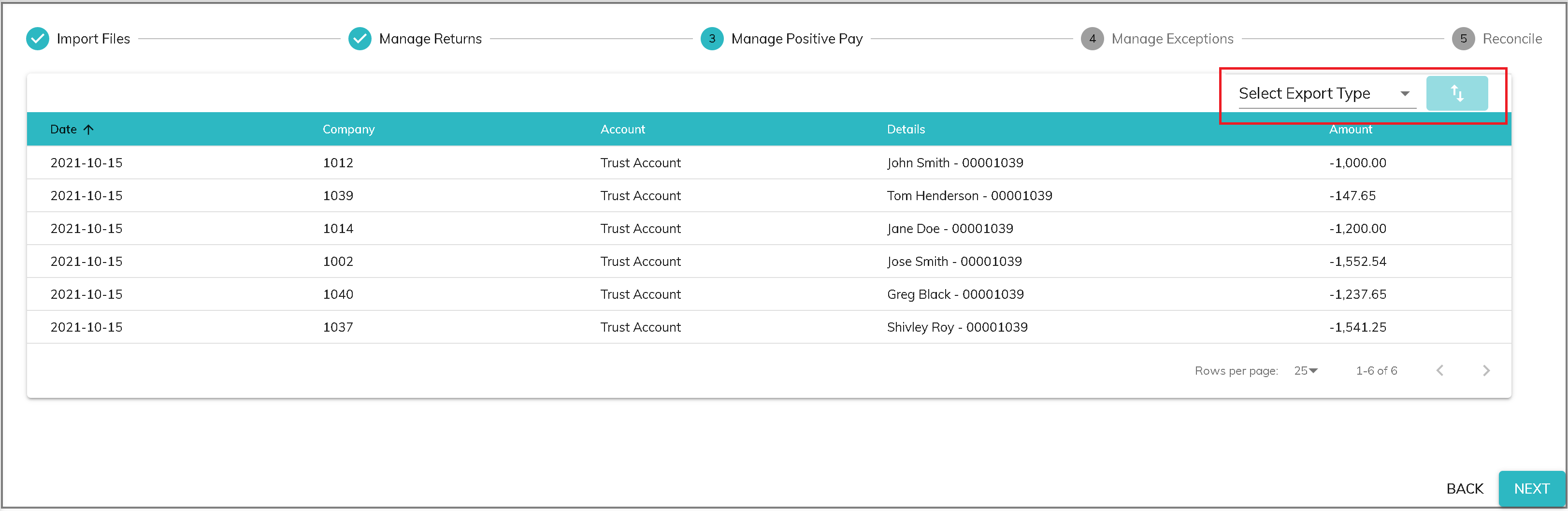
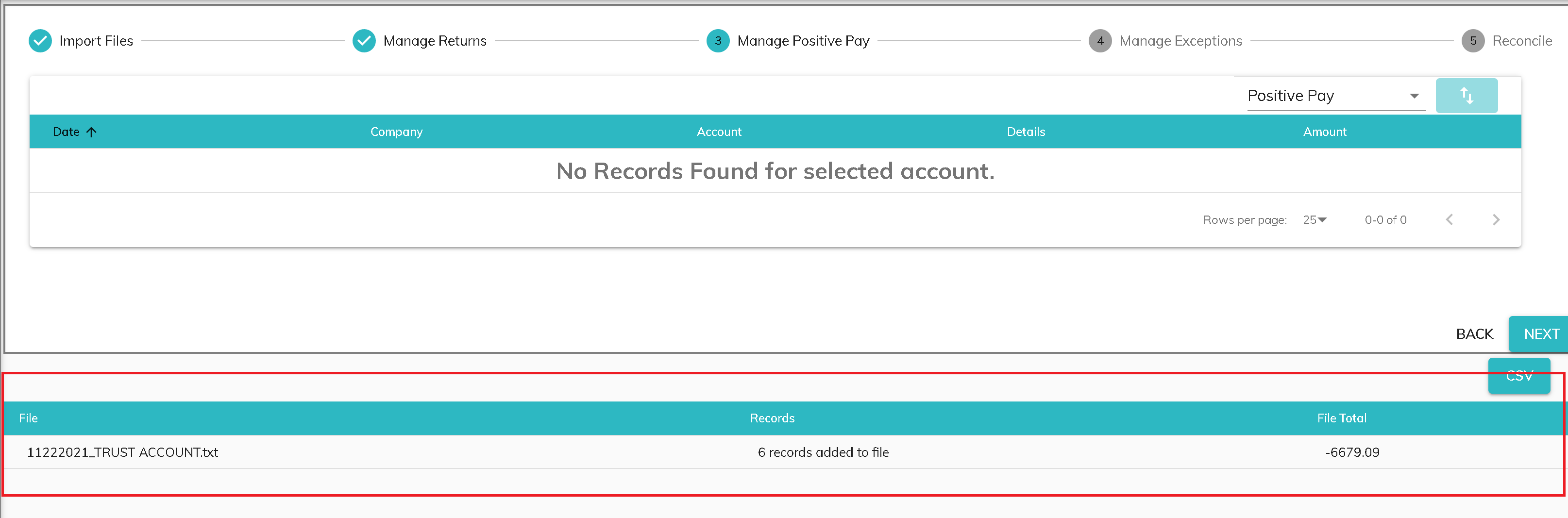
Separate files will create for each bank account in the export type. You will see a message at the bottom of the screen indicating the number of files created, the file name, number of records added, and dollar total of transactions in the file.
Voided Checks
When a check is voided either by importing a checks file containing a voided check or manually voided by a user, the voided check is sent to the positive pay screen to be included in the next positive pay file.
Positive Pay File Date
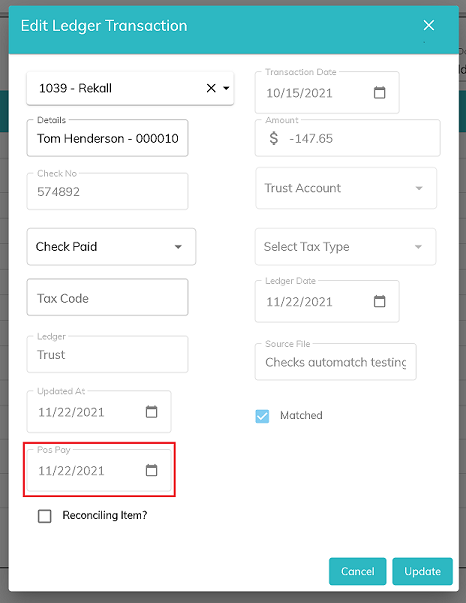
Once a transaction is included in a positive pay file, the date of the file will be populated in the Pos Pay field, which is found on the Edit Ledger Transaction screen of Search Ledger.
Previously Created Files
If you would like to refer back to the positive pay output file, you will need to save the files. Assure does not currently save the downloaded text file.
© RAKE Digital Company, 2022 • Updated: 11/22/21
Comment or report problem with topic