
 Subledger Reconciliation
Subledger Reconciliation
Subledger reconciliations identify various issues in the ledger that may require your attention. Each time you Find Variances, any new issues that are not open on the Kanban board are reported to you on the Subledger Rec tab.
Assure identifies the following variances each time you Find Variances.
- Aged Uncleared: Ledger transactions with an entry date prior to the most recent completed bank reconciliation. This will alert you to a transaction that should have cleared on a specific date but was not matched in a bank reconciliation.
- Negative Liability: A ledger balance by client that is less than $0. This will alert you to a client ledger where more payment transactions have been recorded in the ledger than deposit transactions, resulting in a negative ledger balance.
- Liability Variance: A tax ledger balance by client that differs from the total future liabilities. This will alert you that you are holding the wrong amount of funds for a client.
Note that Liability Variances will not be calculated until you import a file with a liability type of Liability Variance that has been previously set up in your tenant configuration. Please contact support@rakedigital.com if you do not want to see Aged Uncleared or Negative Liability variances.
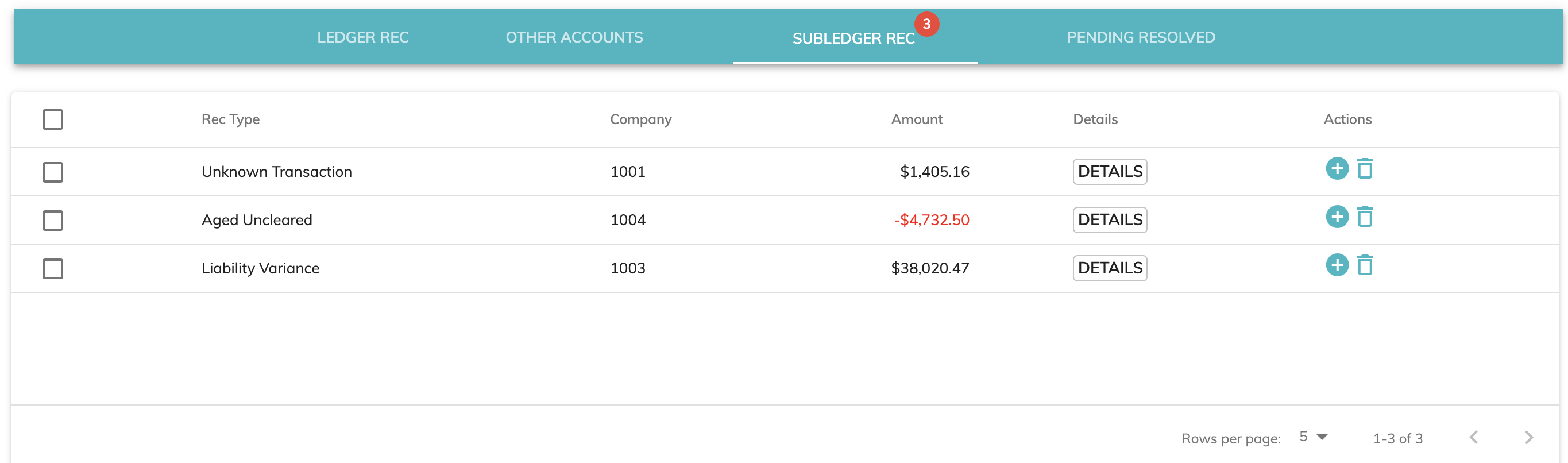
From the Subledger Rec tab, you have several options.
View Details
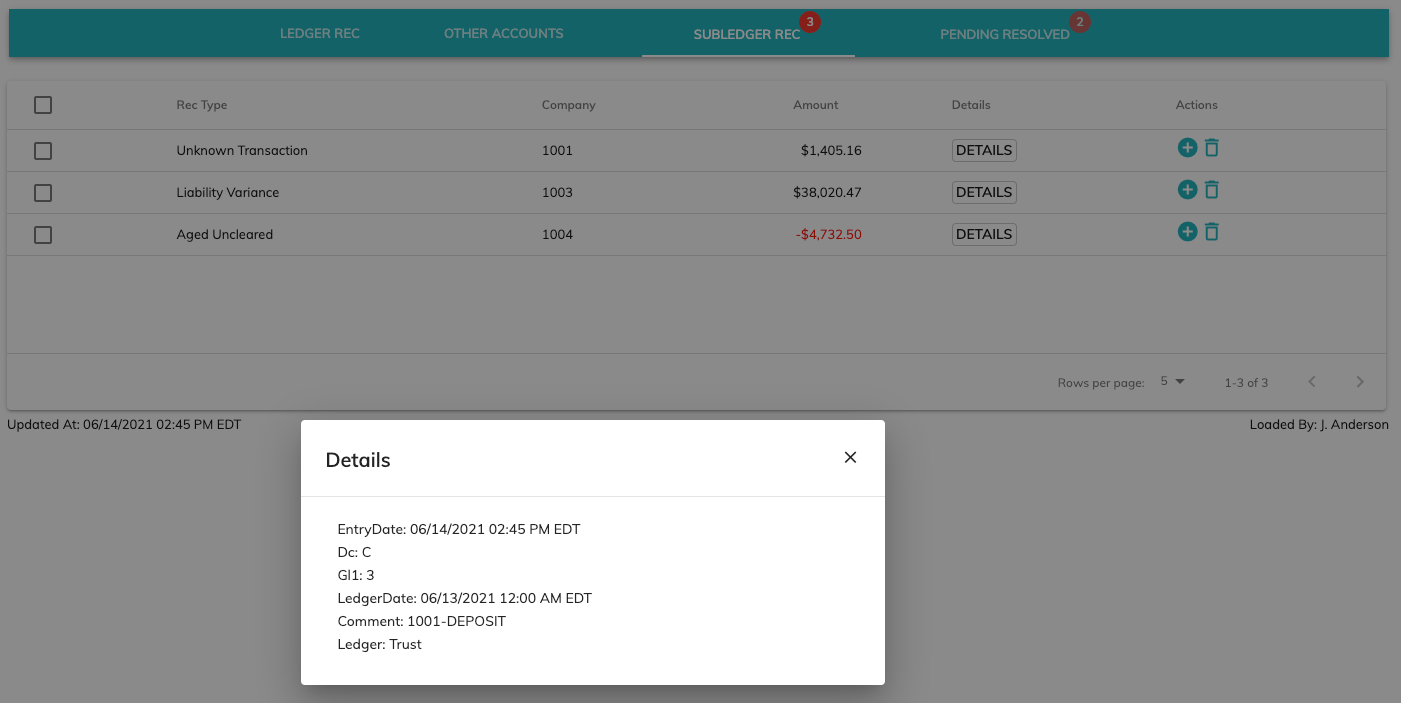
You can view the details of the transaction by clicking the Details button.
Add a Card to the Kanban Board for an Individual Issue
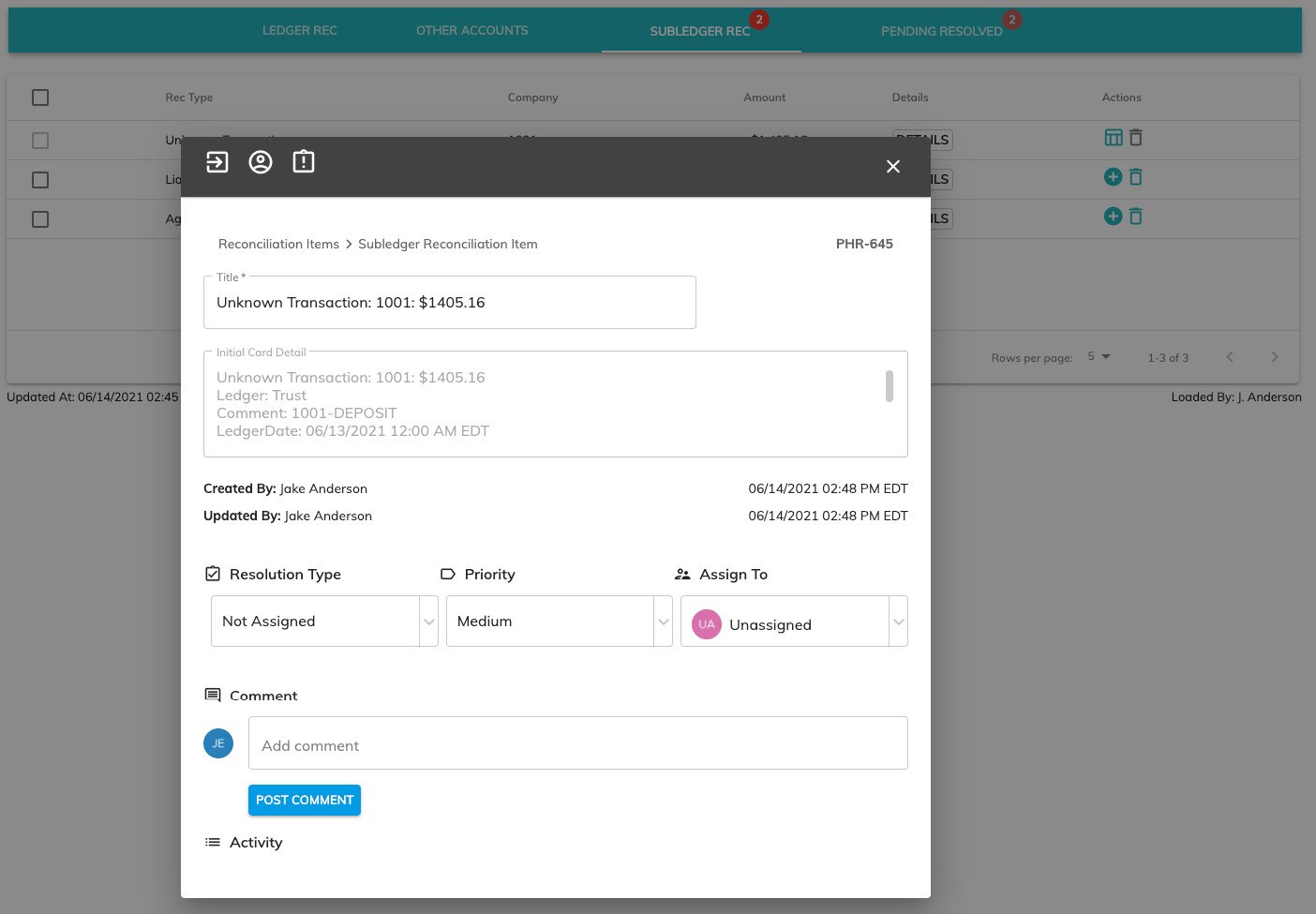
You can click the plus button next to the transaction to add a card to the kanban board for an individual item. Once added, the kanban card can be viewed on this Subledger Rec tab until you click off of it or on the kanban board.
Add a Card to the Kanban Board for all Issues
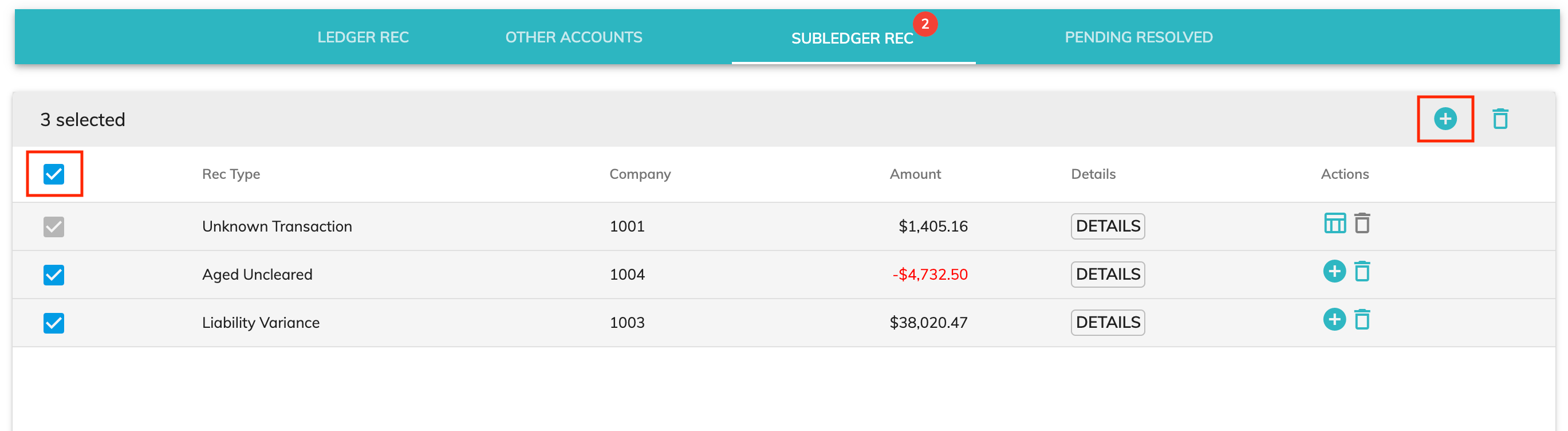
You can click on the checkbox on the header row to select all issues that haven't already been added to the kanban board. Next, click the plus (+) sign at the top right to add individual cards to the kanban board for each checked item.
Important notes:
Deleting an item that resulted from manually adding a transaction (User Reconciliation Item) will remove the item from the list. It will not be added to the kanban board or re-appear the next time the Find Variances button is clicked. Use this option with caution.
Deleting an item that was identified by Assure (Subledger Reconciliation Item or Ledger Reconciliation Item) will remove it from the list. It will not be added to the kanban board; however, if the issue still exists the next time the Find Variances button is clicked, the item will re-appear on the Subledger Rec tab.
© RAKE Digital Company, 2022 • Updated: 12/09/21
Comment or report problem with topic