
 Re-match Transactions
Re-match Transactions
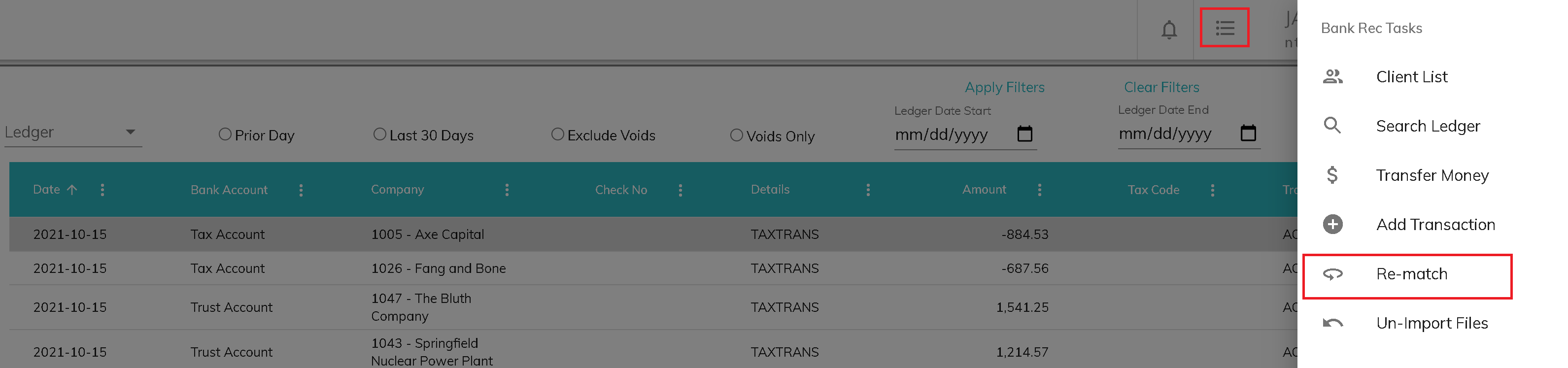
There may be times when an incorrect ledger transaction is cleared in a bank reconciliation. Re-match transactions allows you correct a completed bank reconciliation by choosing the correct ledger transaction(s) to clear against a bank transaction. Access the re-match transaction screen under Bank Reconciliation Tasks.
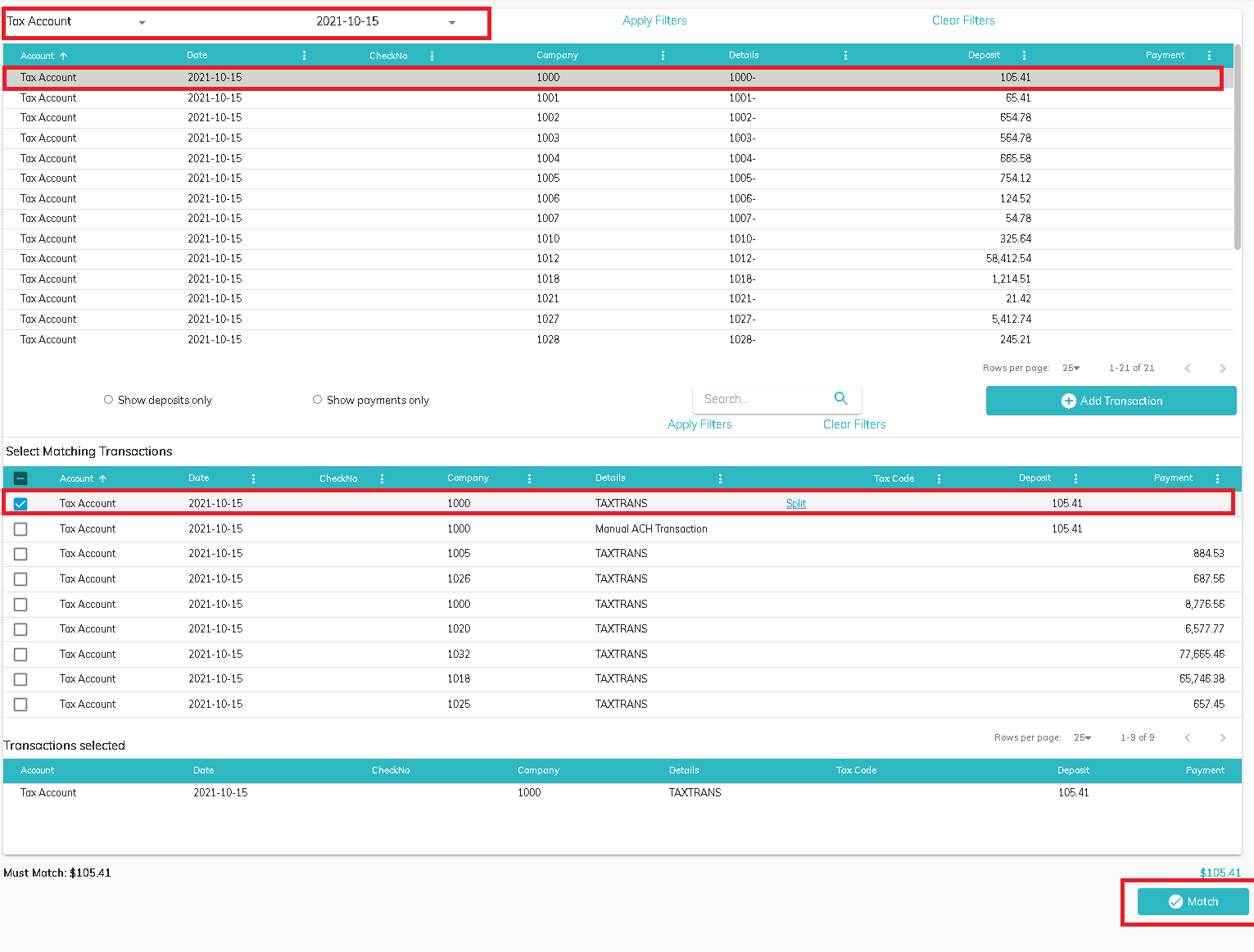
Choose the bank account and prior reconciliation from the Account and Statement Date fields. A list of all bank statement transactions will populate in the top section of the screen. Use the column header filters to navigate to the bank statement transaction that was cleared against the incorrect ledger transaction. Click in the row on the grid. The bottom section of the screen will populate with the ledger transaction(s) cleared against the bank transaction at the top of the list followed by all available uncleared ledger transactions. Uncheck the incorrect transaction(s) and select the correct transaction(s). When the amount of the ledger transaction(s) matches the amount of the bank transaction, the Match button will be enabled. Click Match to complete the re-match.
© RAKE Digital Company, 2022 • Updated: 12/03/21
Comment or report problem with topic