
 Balances
Balances
The Balances report allows you to find information about posted and pending transactions for one or more customers and bank accounts.

Customer Ledger Balance by Bank Account
To generate a report showing your customer ledger balance(s) by bank account, configure the following setting on the reports tab:
- Set the Date: There are two date options, Transaction Date and Ledger Date. Transaction Date is the date of the transaction. Ledger Date is the date the transaction was added to the ledger.
- Choose the Company(s): Choose a single company, multiple companies, or all companies to include
- Choose the Account(s): Choose a single account, multiple accounts, or all accounts to include
- Group By: From the dropdown, choose Customer.
- Click Run Report
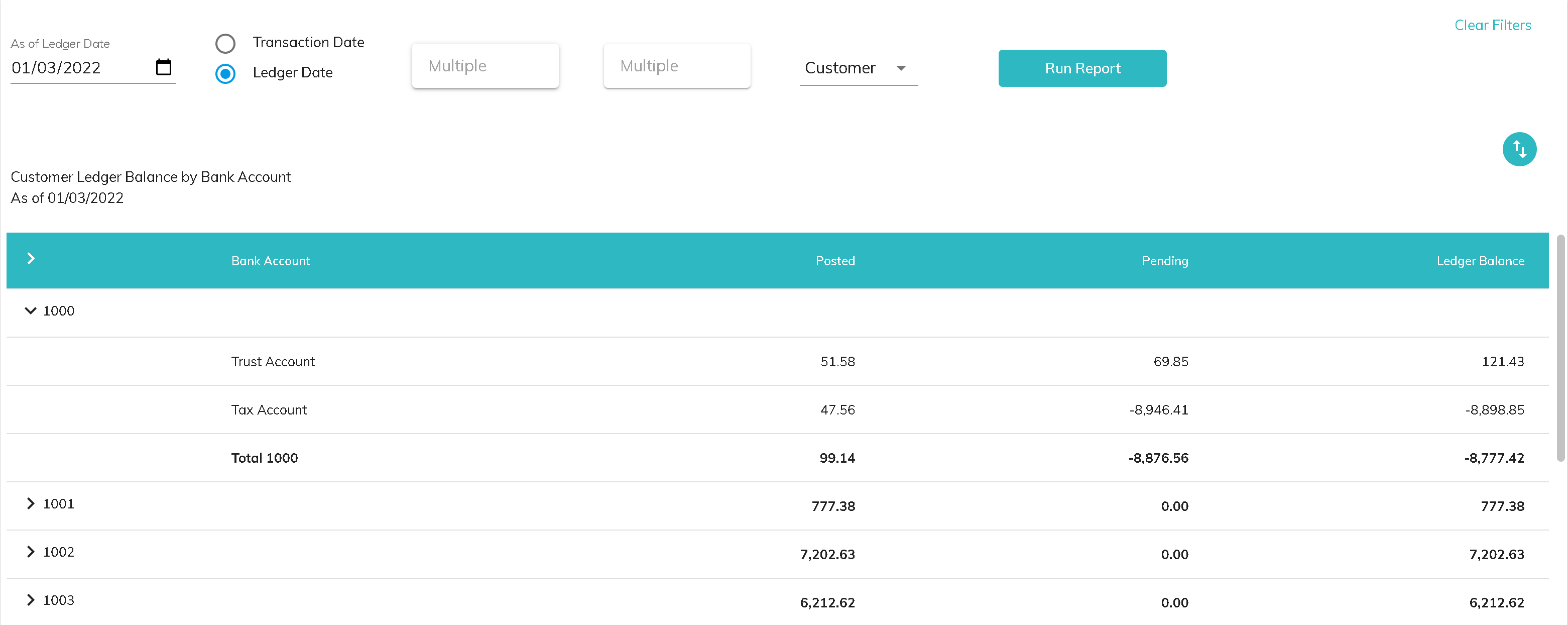
- The customer Id is listed in the first column and can be expanded to show the details by bank account
- The Posted column includes ledger transactions that have cleared in a prior bank reconciliation
- The Pending column includes ledger transactions that have not cleared in a prior bank reconciliation
- The Ledger Balance column includes all posted and pending ledger transactions
Click the download button to download the information to a csv file.

Bank Balance by Customer
To get a report showing your bank account balance(s) by customer, configure the following setting on the reports tab:
- Set the As of Date: There are two date options, Transaction Date and Ledger Date. Transaction Date is the date of the transaction. Ledger Date is the date the transaction was added to the ledger.
- Choose the Company(s): Choose a single company, multiple companies, or all companies to include
- Choose the Account(s): Choose a single account, multiple accounts, or all accounts to include
- Group By: From the dropdown, choose Bank.
- Click Run Report
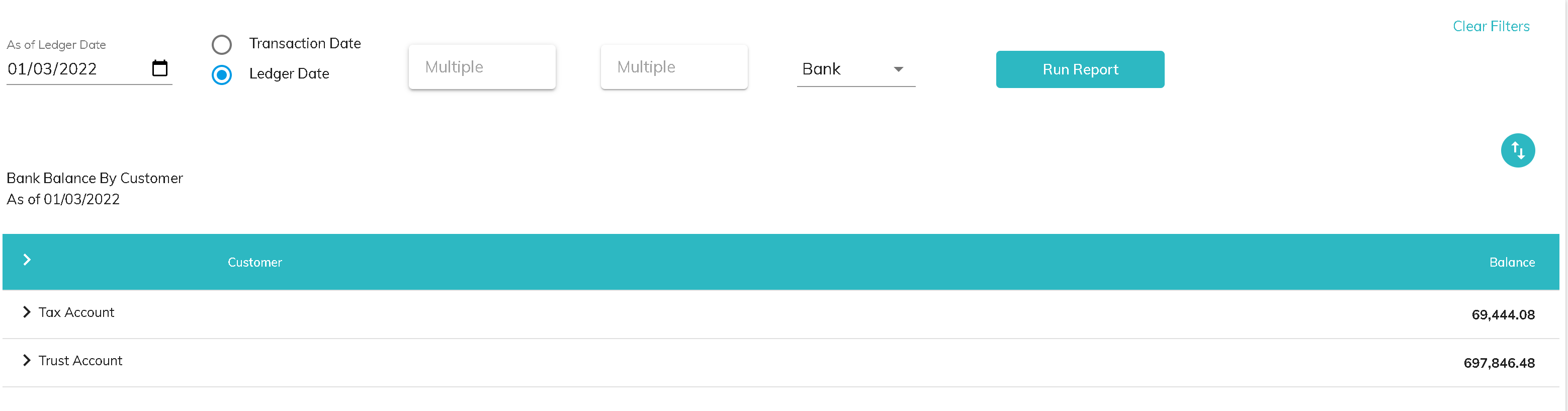
- The bank account name is listed in the first column and can be expanded to show the details by customer
- The Balance column includes all cleared ledger transactions for that bank account and customer
Click the download button to download the information to a csv file.
© RAKE Digital Company, 2022 • Updated: 01/17/22
Comment or report problem with topic