
 Outstanding Checks
Outstanding Checks
The Outstanding Checks report allows you to find information about checks that have not cleared in a prior bank reconciliation for one or more customers and bank accounts.

Outstanding Checks by Customer
To get a report showing your customer ledger balance(s) by bank account, configure the following setting on the reports tab:
- Set the As of Date: This is the transaction date of the transactions you would like to include
- Choose the Company(s): Choose a single company, multiple companies, or all companies to include
- Choose the Account(s): Choose a single account, multiple accounts, or all accounts to include
- Group By: From the dropdown, choose Customer.
- Click Run Report
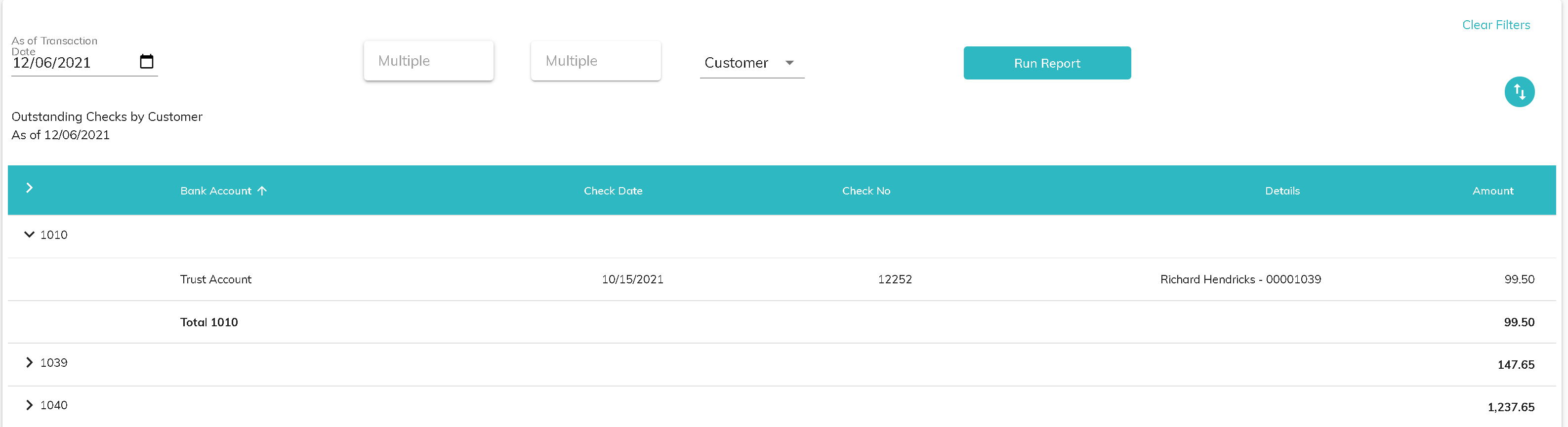
Click the download button to download the information to a csv file.
Outstanding Checks by Bank
To get a report showing your bank account balance(s) by customer, configure the following setting on the reports tab:
- Set the As of Date: This is the transaction date of the transactions you would like to include
- Choose the Company(s): Choose a single company, multiple companies, or all companies to include
- Choose the Account(s): Choose a single account, multiple accounts, or all accounts to include
- Group By: From the dropdown, choose Bank.
- Click Run Report
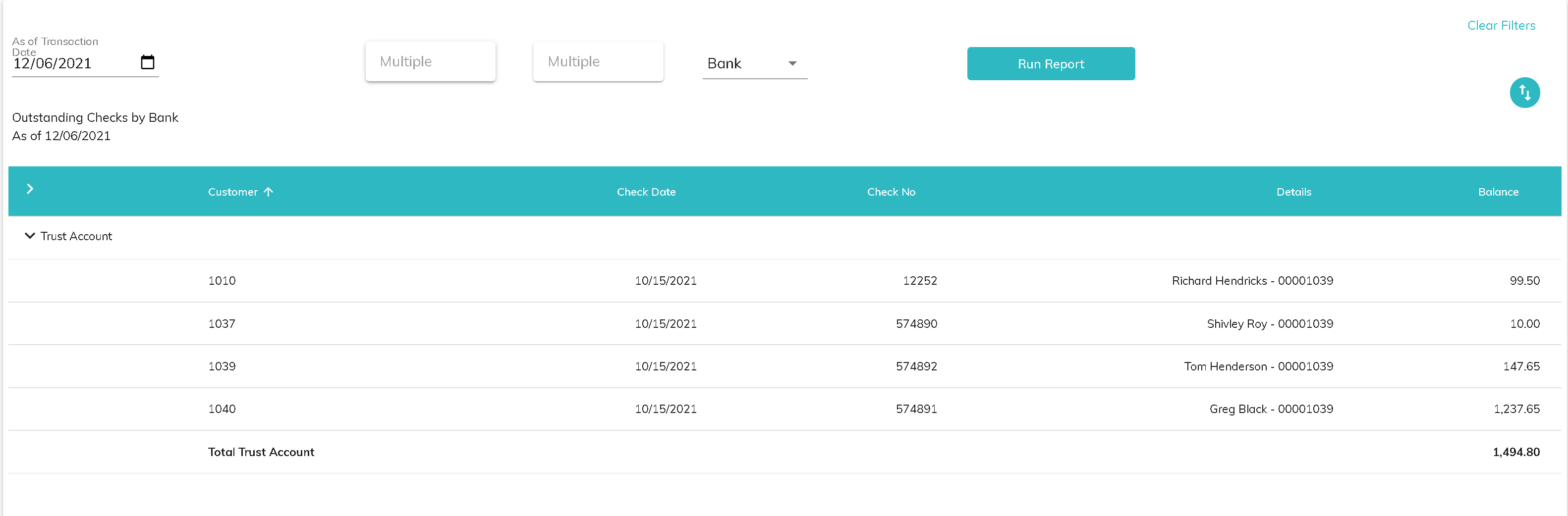
Click the download button to download the information to a csv file.
© RAKE Digital Company, 2022 • Updated: 12/06/21
Comment or report problem with topic